Speedometer 55. Books
Books are currently available in the public beta while we refine them with beta users before the App Store release.
A book packs everything one trip needs into a single file: a route with its course notes, waypoint collections (camps, fuel stops, zones to avoid), the tracks you want drawn on the map, and the map itself — a map collection or a single map, with its offline tiles and ground image overlays. Open MENU → Books to see the books on this device. The rallies saved in the rally computer are on the same shelf, and the rally settings open it filtered to the road books.
To see finished books first, open a sample from the book library (Books > + > Book library): run it, then Edit book to see how it is built.
What a book looks like
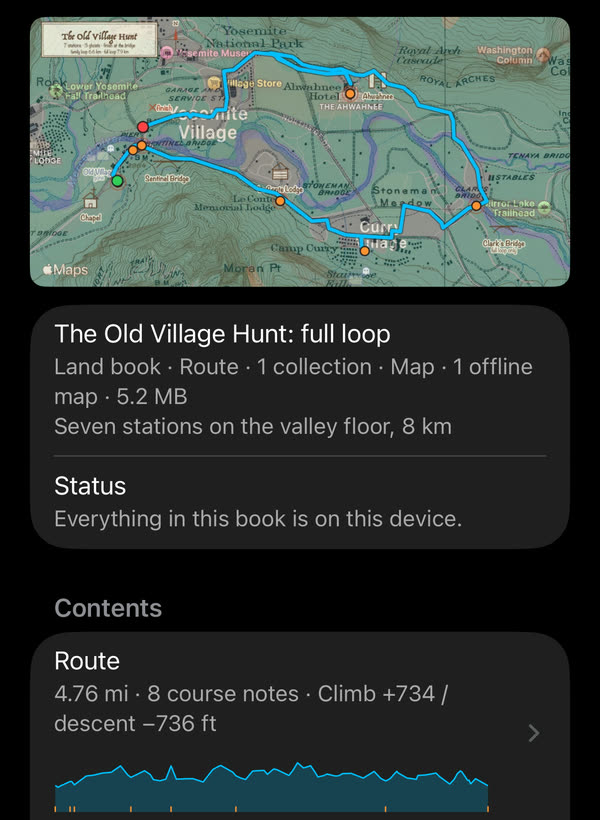
A book’s page: the thumbnail made from the book, what it holds, and the route with its elevation profile.
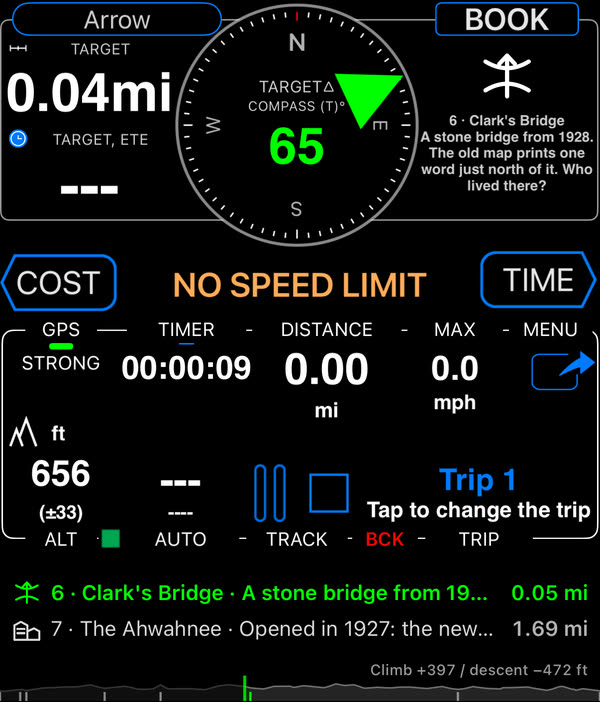
While the book runs: the compass arrow points to the next course note, the BOOK panel shows the note with its symbol, and the course notes run along the bottom over the route’s elevation.
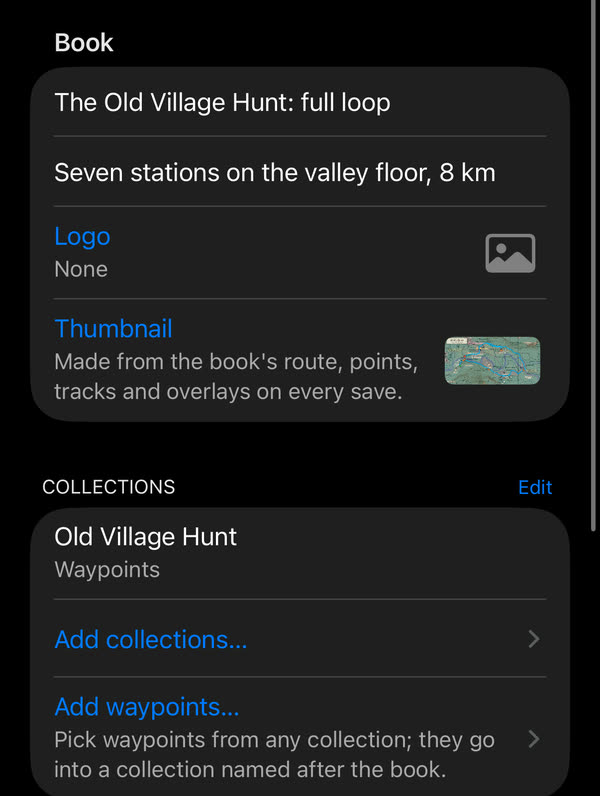
Edit book shows how it is made, and is where your own book starts: a title, a logo and thumbnail, collections or single waypoints, tracks, a map and a route with course notes.
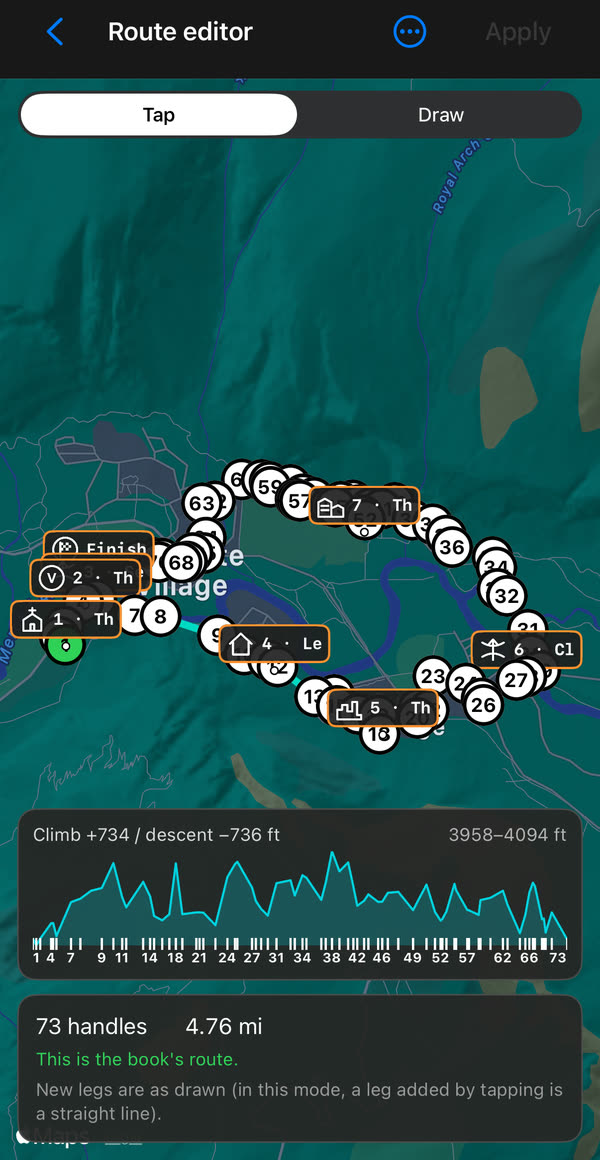
Build the route on the map in Edit book opens the route editor: tap or draw along paths and roads, drag the numbered handles, and see the climb and descent as you go. The course notes sit on the route with their symbols.
Make a book
Tap + on the Books screen. Give the book a title, then add what it should carry:
- Collections from the collections list. Route collections show their line on the map; to follow one, make it the book’s route under Route. Area collections (circle or polygon) become zones with their alerts.
- Tracks, offered from the tracks pinned on the map and then the book’s own list, each with its colour and line width.
- Map: a map collection, or a single map with the ground image overlays you pick. A collection travels with its settings and layers; every offline map in it, like a single offline map, travels as its tile database, so the file can be large. The map list shows how much the offline maps add. On the other device, Import what is missing adds them to its offline maps.
- Route: build it on the map, or make it from a track or a route collection; the turns of the route can become course notes.
Save, and the book appears on the shelf.
Symbols for the course notes
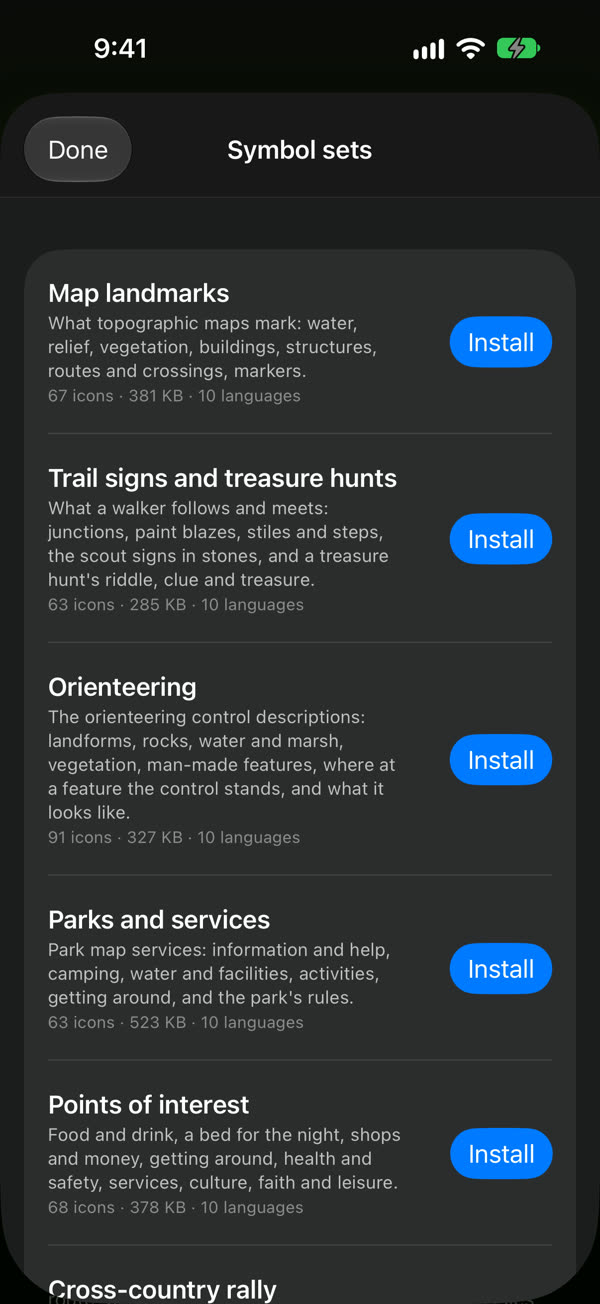
A course note can carry a symbol: it shows on the map, in the BOOK panel and in the notes list. In a book’s course note editor, From a lexicon… lists the symbol sets: five made for land books, and the road book set of the Rally computer , where the same button reads From the road book lexicon. Tap a set to open it; the first time it downloads, after that it is on the device and opens offline. The set you used last stays on top.
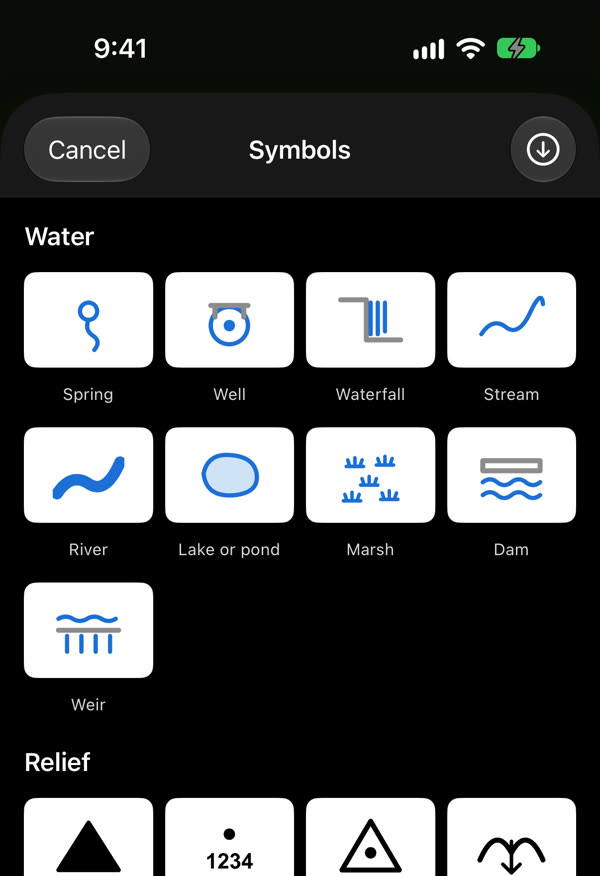
- Map landmarks: what topographic map legends mark — springs and waterfalls, summits and passes, forests, churches, ruins, bridges and fords.
- Trail signs and treasure hunts: junctions and turns, waymarks and blazes, what is on the path, the scout signs in stones and sticks, and a hunt’s clues, keys and treasure.
- Orienteering: the control descriptions — the feature, what it looks like, and where at it the control stands.
- Parks and services: park map pictographs — information, camping, water and restrooms, activities, and the park’s rules.
- Points of interest: what a town walk or a day out stops at — food and drink, a bed, shops, transport, health, culture, faith and leisure.
- Cross-country rally: the road book’s turns, road features and hazards.
Run and Close
Run opens one screen with the best setup for the book, all switched on: Record a track of where you go, Course notes at the bottom (the notes ahead with their distances, over the route’s elevation) and Land navigation: the compass arrow points to the next course note, the map draws the line to it, and the notes are read aloud as you reach them. Switch off what you don’t want; the choice is remembered for the next book.
A book whose road book carries a rally’s regularity rules offers Rally computer in place of Land navigation: the Rally computer runs it with its gauges, and your dashboard comes back when the book ends.
While the book runs, the panel’s button reads BOOK ▶︎. Tap it for the book’s menu: the next or previous note, all the course notes, the voice on or off, the book’s page, another target and the navigation settings. If you pick a target of your own it reads BOOK ⏸︎, and the book goes on; Next note puts the arrow back on the book.
End the book, in that menu or as Close on the book’s page, puts everything back the way it was before Run: your map, pins, collections, panels and dashboard. It ends the track the book started; a track you were already recording goes on.
Road books and rallies
In Speedometer a book’s route is a road book: the same course notes, tulip diagrams and road book symbols the Rally computer reads, drawn with the same route editor and written with the same course notes editor.
- A route from a saved rally: in Make a book, the Route row starts from a saved road book or from the rally computer’s current one, and the book keeps its own copy: editing it changes nothing in the rally computer.
- A rally in a book: a book whose road book carries the event’s regularity rules runs in the Rally computer (see Run above). Without them it is a land book, run with the compass arrow.
- Your saved rallies on the same shelf: the shelf lists the rally library ’s saved rallies beside your books, each a rally book ; tap one to load it into the Rally computer. In the rally settings, Road books opens the same shelf showing only the books with a road book.
Share
Share book sends the .navbook file. On the other device, opening the file shows the book’s page; Import what is missing adds the collections, tracks, maps and overlays it carries, and then it runs there too. Deleting a book can keep or remove what it imported.