Compass 55. Voice coach.
This page describes the older voice coach implementation, which becomes obsolete with the June 2026 Voice coach and navigation guidance version.
When enabled and configured, the voice coach announces active track distance and duration, as well as current speed and altitude.
In the current version, the voice coach only runs when a GPS track is being recorded. This ensures that the coach provides exact and reliable information, whether the app is running in the foreground or background.
The app gives a hint whether the coach is enabled or disabled (disabled by default). When you tap on the MENU button, the hint is on top of the “NEW TRACK” button:
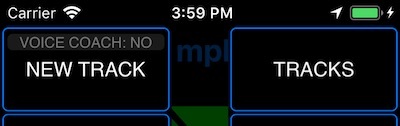
Until you start a new track, this is just a label. To access voice coach configuration, open Advanced Settings > Voice coach.
Once GPS track recording is running, this hint becomes a button:
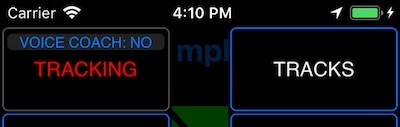
Tapping it opens voice coach settings:
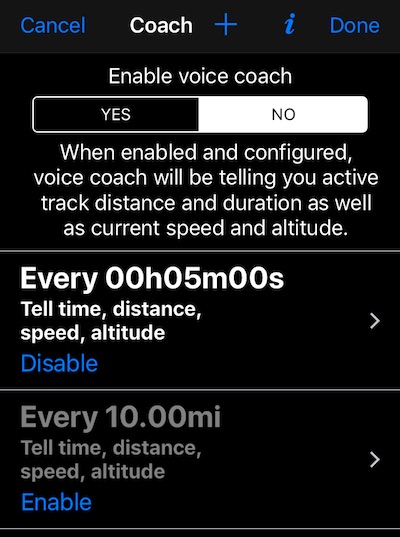
By default, the coach is off and some configuration is pre-populated for you, like an enabled announcement every 5 minutes of tracking and a disabled announcement every 10 miles or kilometers. Until you enable the voice coach, all of this stays mute and inactive.
This setup lets you configure multiple voice coach “triggers” without making them active right away. You can then enable only the triggers you need for a specific situation. Driving and skiing, for example, are very different activities and may need very different trigger sets.
The “+” button on top allows you to add more triggers.
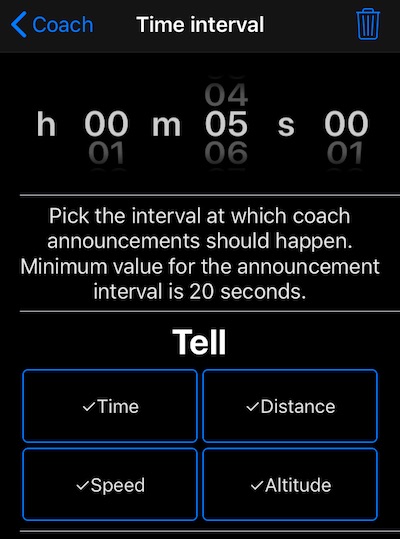
Tapping on a row with a trigger allows you to configure its specific parameters. Here is a screen for a time trigger:
And for the distance trigger:
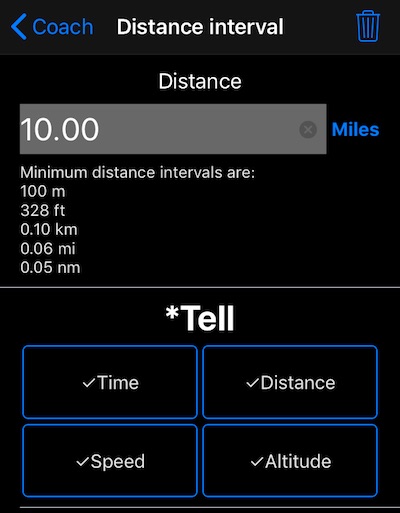
There is no limit on the number of triggers you can have, though the minimum interval is 20 seconds for time and 100 meters (328 feet) for distance. If you configure overlapping triggers, the app queues announcements with a reasonable timeout and discards outdated announcements as newer ones arrive.
All ideas for the voice coach evolution to match your needs are welcome!
