Compass 55. Shutter timer: a countdown before the photo or the recording.
A finger on the screen moves the phone, and on a pole, a mount or a tripod that is exactly the shake you were trying to avoid. The shutter timer puts a few seconds between the tap and the capture, so the phone is still again by the time the photo is taken.
The camera button
The camera button at the top of the screen is where the timer lives. Its symbol shows which camera is in use, and once a timer is set it carries the seconds as a small badge — so you can see at a glance that the next shot will wait.

A long press on the same button flips between the back and front cameras straight away, without opening anything.
The camera sheet
Tap the camera button and the sheet opens.
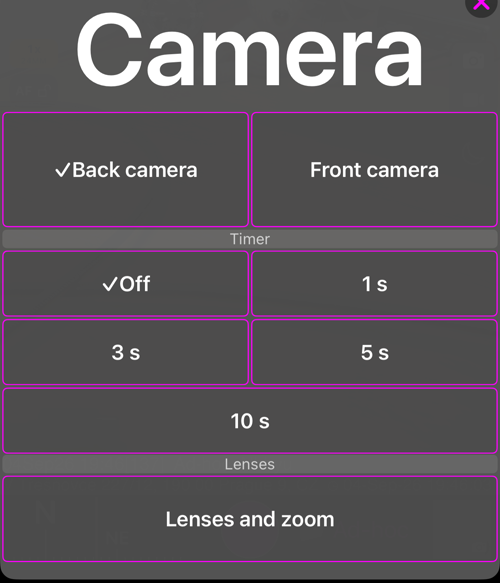
- Camera — Back camera or Front camera.
- Timer — Off, 1 s, 3 s, 5 s or 10 s. The tick shows what is set now.
- Lenses — Lenses and zoom opens the lens strip .
The timer stays set until you change it, and it survives a restart. It also travels with the app’s settings backup, in the Photo capture settings group of the app’s settings backup.
The countdown
With a timer set, the shutter button counts down instead of shooting. A ring empties around the shutter with the seconds inside it, and the phone taps once a second.
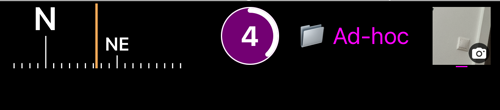
Tap the shutter again to cancel — the countdown stops and nothing is captured. It is also cancelled if you leave the camera screen, switch between photo and video, or flip the camera.
Video
Starting a recording counts down in the same way. Stopping never waits: the moment you tap stop, the recording ends.
What waits, and what does not
Only the on-screen shutter and the shutter gestures you assigned under Viewfinder controls count down. Everything you press away from the phone fires immediately:
- a Bluetooth remote,
- the volume buttons, the Action button and Camera Control — see hardware camera buttons.
That is deliberate rather than an omission: a release you press without touching the phone is already shake-free, and making it wait would only cost you the moment.
Related
- Focus — the AF button, locking focus, and setting focus by hand
- Lenses and zoom — the zoom chip, the lens strip, AUTO or a single lens
- Camera lenses — where the camera screen’s lens controls live
- Viewfinder controls — gestures, the black screen, the video light
- Camera settings — the rest of the camera screen’s settings
- What’s new in version 5.9