Compass 55. Focus: tap, lock, save it, or set it by hand.
Continuous autofocus is right for most shots, and for those you never have to touch anything here. It is the repeated shot and the shot through glass that need help: behind a windscreen autofocus hunts between the glass and the road, and a shelf you photograph every week can settle a little differently each time. The camera gives you the whole ladder — a tap, a lock, autofocus kept to distant subjects, a position you save once and return to, and a dial that puts the lens exactly where you want it.
Tap to focus
A single tap on the picture sets a temporary focus point. A yellow square shows where it landed, and the point ends by itself when the scene changes — nothing is remembered, and the next shot starts from continuous autofocus again. This is what a tap does out of the box; if you assign the single tap to the shutter under Viewfinder controls , it stops focusing.
The AF button
The AF button sits at the bottom of the strip on the left edge of the viewfinder, with the zoom chip just above it. It is there on every lens that can lock focus, and it carries the current state next to the letters: an open lock for continuous autofocus, a closed lock on yellow when focus is locked, a scope on yellow when the lock is at your saved position, and mountains on yellow for far-only autofocus.
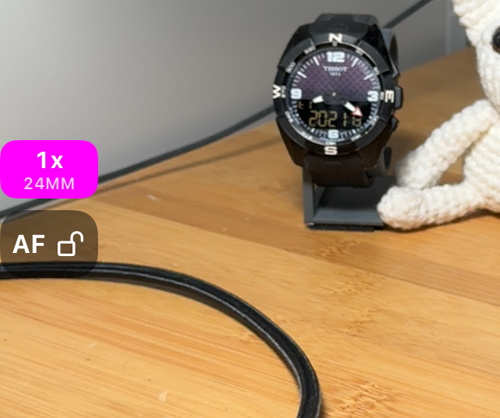
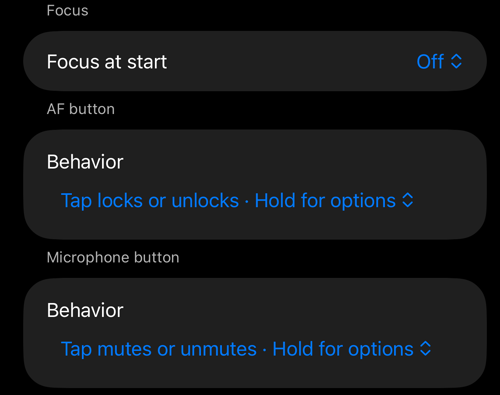
- Tap locks or unlocks focus. Set to Tap shows the state · Hold for options, a tap only tells you what focus is doing, so a stray touch on a windscreen mount changes nothing.
- Hold always opens the focus options, whatever the tap is set to.
Lock focus
A lock freezes the lens where it is. Exposure keeps adjusting, so driving into a tunnel or towards the sun still gives you a usable frame — it is only the focus that stops moving.
Three ways to lock: tap the AF button, hold it and choose Lock focus, or use the gesture you assigned to Lock focus under Viewfinder controls . The confirmation names the physical lens and where its focus sits.
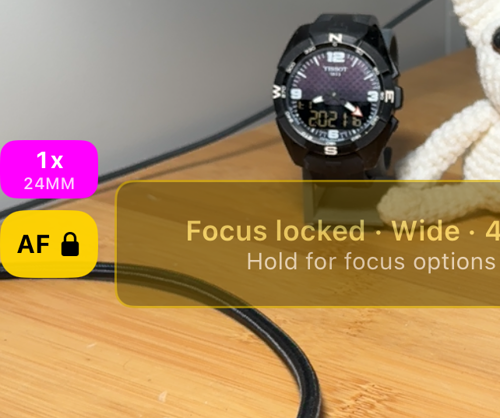
An ordinary lock stays on the automatic camera and freezes the lens already in use, so the picture does not flinch. A lock at an exact position — Lock at saved focus, Set focus by hand, or a lock restored when the camera opens — has to switch to that physical lens, and returns to the automatic camera when you unlock; the preview pauses briefly each time.
Changing lens releases the lock. Pick another focal length on the strip, flip to the front camera, or tap a stop that belongs to a different lens, and the camera unlocks and makes the change — Focus unlocked · Lens changed. A stop tapped on the lens already in use only zooms within it, and the lock stays.
The focus options
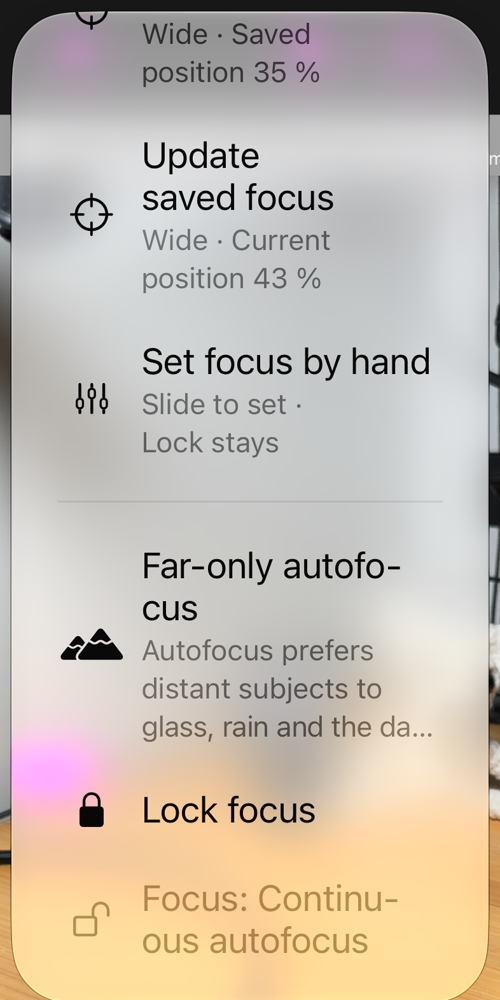
Hold the AF button. The first row is a status line — Focus: Continuous autofocus, Locked, Locked at saved focus or Far-only autofocus, with the lens and position where there is one — and the rest are the actions below, plus a shortcut to the Viewfinder controls settings. With a saved focus on the current lens the menu can be taller than the screen; scroll it to reach the last rows.
Far-only autofocus
Far-only autofocus is not a lock. Autofocus keeps running, restricted to the far range: it prefers distant subjects, which helps keep a windscreen, the rain on it or the dashboard from becoming the subject, and it still follows the scene — a truck pulling in ahead is picked up, which a hard lock would leave soft. This is the setting for driving and for any shot through glass.
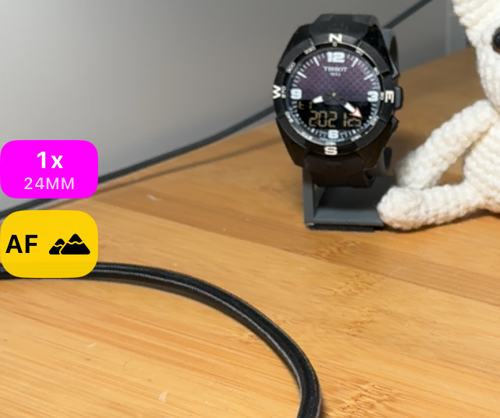
While it is on, a tap on the picture is ignored, so a touch on the glass cannot pull focus. The lens strip and lens switching work as usual. On the front camera it is suspended — a face is a near subject. It can also be turned on for every launch with Focus at start, below.
A focus of your own
Save current focus stores the position the lens is at right now. Focus on the shelf, the gate or the road ahead, hold the AF button and choose it; the row then reads Update saved focus, and Lock at saved focus returns that lens to the same position any time — switching to that lens if you are somewhere else. Delete saved focus removes it. The AF button shows a scope while the lock is at the saved position.
A saved focus belongs to one physical lens: the wide can hold one and the telephoto another. The subtitles name the lens and the value, for example Wide · Saved position 35 %. Those percentages are positions of the focus motor, not distances — 100 % is past infinity on most lenses — so read them as a number you can come back to, not as metres.
Set focus by hand
For the scene autofocus never settles on — a windscreen at night, a subject behind a fence — place the lens yourself. Hold the AF button and choose Set focus by hand.
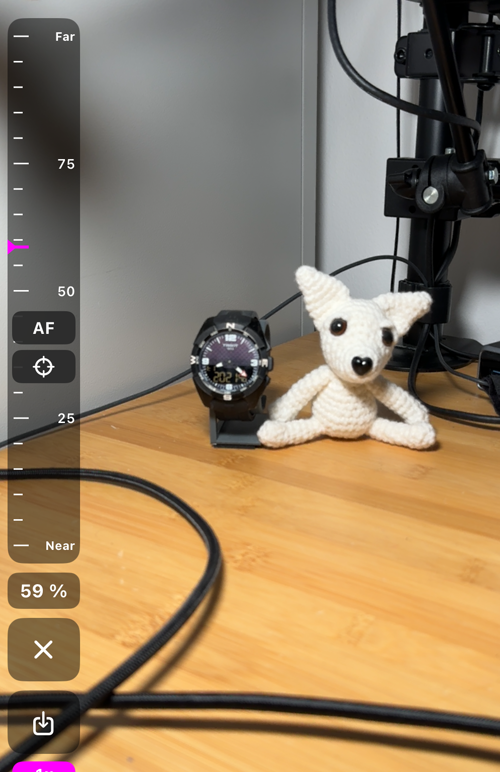
The dial takes the strip’s place on the left edge. Slide it and watch the picture; the readout under it shows the position. Two pills jump straight to a value — AF, where autofocus was when the dial opened, and the scope, this lens' saved position — and the save button stores where you are now. ✕ closes the dial and keeps the focus; the AF button (or your lock gesture) is what unlocks it.
Opening the dial makes an exact lock at the current position first, so on the automatic camera the app swaps to the physical lens and the preview pauses for a moment. The panel hides itself after a few seconds without a touch and the lock stays; hold AF and choose the row again to bring it back. It is refused while the camera is still starting (Camera is not ready), and on the front camera and any fixed-focus lens the row is disabled and says why.
Focus at start
Focus at start, under Viewfinder controls , decides what focus does every time the camera opens: Off, Restore last lock (the position you last locked, on the same lens), or Far-only autofocus.
Lenses that cannot lock
Some lenses have no focus motor at all. The front camera is one. On iPads and on iPhones that are not Pro models the ultra-wide is another: at 0.5x the AF button is simply not on screen, and Set focus by hand is greyed out with Ultra wide has fixed focus. Zoom to 1x, or pick another focal length on the lens strip , and the button comes back. On an iPhone Pro the ultra-wide focuses like the others.
Backup
Everything on the Viewfinder controls settings page travels with the app’s settings backup, in the Viewfinder controls group — see the app’s settings backup. A saved focus is a property of the camera on this iPhone and is not part of it.
Related
- Lenses and zoom — the zoom chip, the lens strip, AUTO or a single lens
- Shutter timer — the camera sheet and the countdown before a shot
- Camera lenses — where the camera screen’s lens controls live
- Viewfinder controls — the settings behind the rows on this page
- Camera settings — the rest of the camera screen’s settings
- What’s new in version 5.9