Version 5.5 - What's new?
Version 5.5 adds Batch changes for saved photos and points. After a site visit, you can select several items and give them the same address, note or tags, update their titles, or put them in another collection.
Change a selection together
In Points, tap Select, choose the items, then tap Change selected. The batch screen shows the number of selected points and photos. You can update the originals, make copies, or choose another collection as the destination.
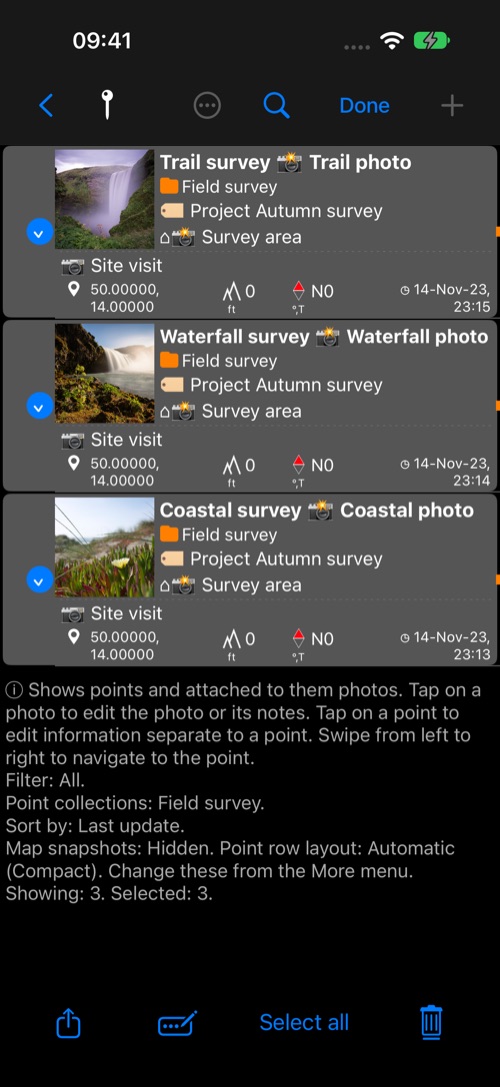
Choose fields and review the result
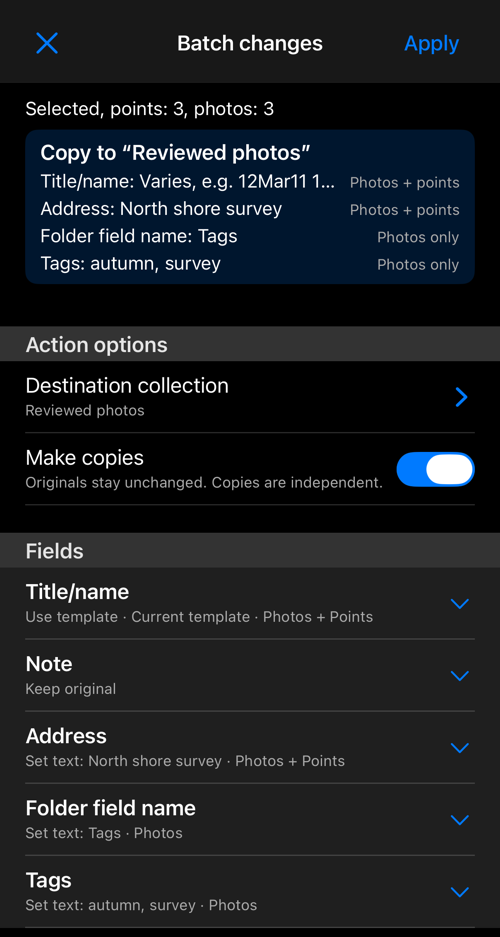
Open only the fields you want to change: Title/name, Note, Address, Folder field name, or Folder. Where a field belongs to both a point and its photo, you can choose which receives the change. For titles, use your current photo template or a one-time template and check the sample before applying.
The summary shows whether you will update, copy or move the selection, the destination collection, and the fields that will change.
The Batch changes guide walks through selection, field choices, templates, progress and the completed result.