Grid and centre cross: composition helpers on the camera screen
Two helpers you can draw over the viewfinder: a 3x3 grid for composing and levelling a shot, and a centre cross for aiming at exactly one thing — a defect, a marker, the middle of a manhole cover.
Open MENU > SETTINGS, then Grid & Cross.
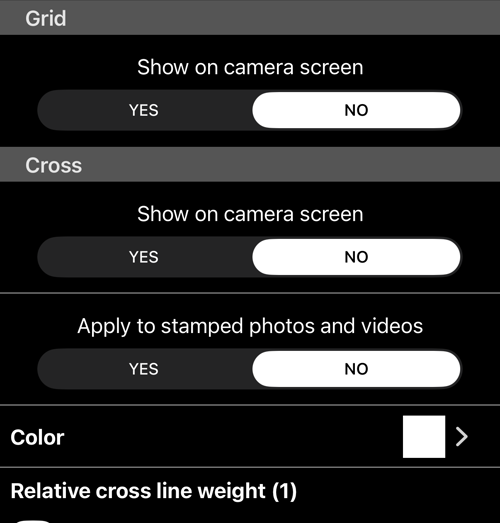
Grid
Show on camera screen — YES or NO. The grid is a viewfinder aid only: it is never drawn into a photo or a video.
Cross
Show on camera screen puts a cross at the centre of the viewfinder.
Apply to stamped photos and videos decides whether it survives into the output. This is the difference that matters: with it NO the cross helps you aim and then disappears, and with it YES the cross becomes part of the record — which is what you want when the point of the photo is this exact spot, and a reader needs to see which spot you meant.
Color and Relative cross line weight set how it looks. Raise the weight when the cross has to read against a busy or bright surface; a thin white cross disappears against concrete in sunlight.
The original photo is never touched, so a photo saved as Original has no cross
on it whatever this says — the same rule as the rest of the
photo stamp
.
Related pages
- Review photos: original and stamped — the two copies and what each carries
- Notes overlay — the text block at the bottom of the frame
- Watermark — your own mark over the top
- Photo capture settings — which copies are saved