Back up, share and restore the app settings
A tariff, a receipt layout and a set of fare rules take a while to get right. This saves all of your settings to a single file you can put away, move to another device, or hand to another driver so they do not have to work through the screens themselves.
Two uses, and both are common: switching yourself between profiles — a day shift and an airport run are rarely configured the same — and setting up a second phone, or a colleague, in one import.
Open the advanced settings and find the Manage app settings section: Save, share, restore settings tailored to your project or workflow. The screen it opens carries the same name.
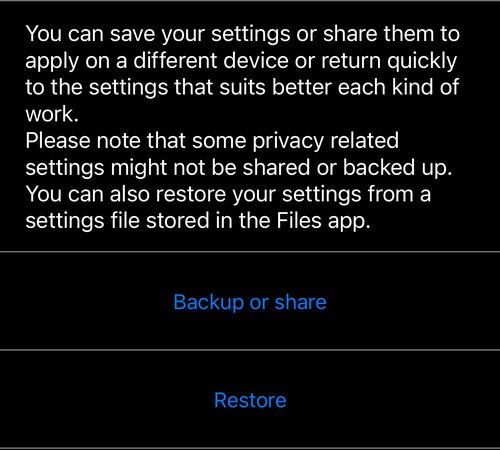
Backup or share
Backup or share archives your settings and opens the usual share sheet. Anything on the phone can take it from there: mail, Messages, AirDrop, Files, and any file provider you have installed, such as Dropbox, Box or OneDrive.
The archive is a single file with the extension .szf — a settings zip
file. The message that goes with a shared file names the app it came from and
links back to this page, so whoever receives it knows what to do with it.
Restore
Restore is the row underneath it. It opens the Files picker; choose a .szf
file and its settings are applied. The file can be anywhere Files can reach —
on the device, in iCloud Drive, in Dropbox — so a settings file another driver
sent you can be restored without leaving the app.
There is a second way in, useful when the file arrives as an attachment: tap the file wherever it is, use the Action button and choose Taximeter 55 from Open in. If the app is not in the first row of options, scroll that row, tap … and pick it from the list.
Restoring only accepts .szf files. Anything else, and the app says so rather
than guessing.
What is not included
Some privacy-related settings are deliberately left out of the archive, and the screen says so. A settings file is safe to hand to a colleague; it is not a copy of your account.
Tinkerer?
The format is open on purpose. Change the extension from .szf to .zip and
unpack it, and you get plain-text JSON — one file per settings component, with a
note explaining every entry.
The intent is that you can build presets for fast onboarding. You can also just use the app, which is the sure way to produce a valid archive.
If you want more inline documentation on individual entries, ask us at support@blocoware.com .