Quotes.
Why use quotes?
Quotes help taxi drivers provide clear and professional fare estimates to their customers before the trip begins. They build trust by setting expectations upfront, allowing customers to understand the total cost, including any extras. This transparency can lead to higher customer satisfaction, reduce fare disputes, and streamline trip preparation. Additionally, saved quotes can speed up repeat bookings and make it easier to manage frequent routes or corporate clients.
Create and reuse
A quote is created in the Fare Calculator . You go through the same steps — pick the addresses, choose the route — and then tap Create quote to add extras, notes, and adjust the total if needed:
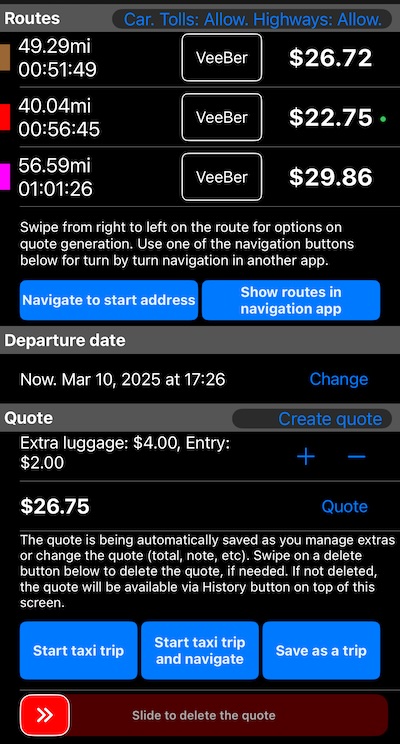
Options under the routes list now include a “Navigate to start address” button to open your navigation app, which can be handy!
The addresses can be more than two. Since May 2026 the Fare Calculator prices a ride with up to five stops on the way, each with its own waiting time, and a Start button on the End address header turns the itinerary into a return route back to where it began. Quotes carry the stops and their waiting times with them, so a multi-stop job can be quoted, sent and re-used like any other. How stops are priced .
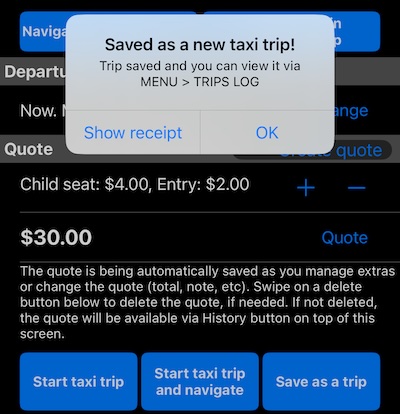
As you add extras and notes, and adjust the total, the quote is automatically saved. Once finalized, you can start a taxi trip from it, or start a taxi trip along with simultaneous navigation in your navigation app. Alternatively, you can save this quote as a taxi trip, without the need to drive:
Once the quote is saved, you can return to it via the top History button in the Fare Calculator or through MENU > QUOTES:
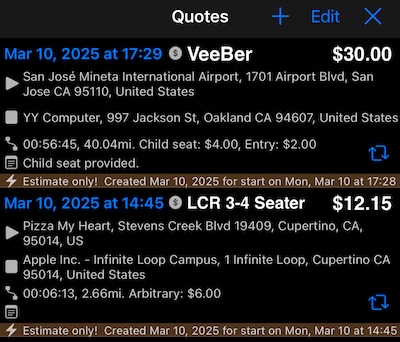
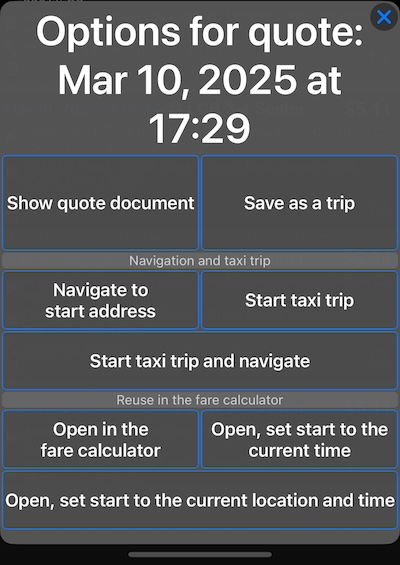
In each quote row, tap on the top-left name button to rename the quote. Or tap on the bottom-right Re-use button for more options:
Hopefully, it’s all clear!
Notes for the “Open” options:
- Opening the quote in the Fare Calculator pre-fills the start/end address, and start time (the current time is used if the quote’s start time is in the past), and applies the selected fare. When you open a quote like this, the app will offer to apply extras and/or notes from the original quote to the new one.
Notes for the “Start” options:
- When you start a taxi trip based on a quote, the extras and notes from the quote will be automatically applied to the trip.
Fine-tune the quote document
The app also adds extra options in Settings > Advanced to configure quote-specific fields:
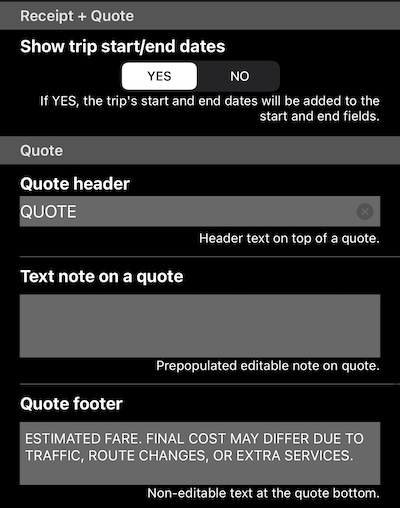
The Advanced Settings screen is split into sections that group the options specific to the trip’s receipt, those common to both receipts and quotes, and those specific to quotes.
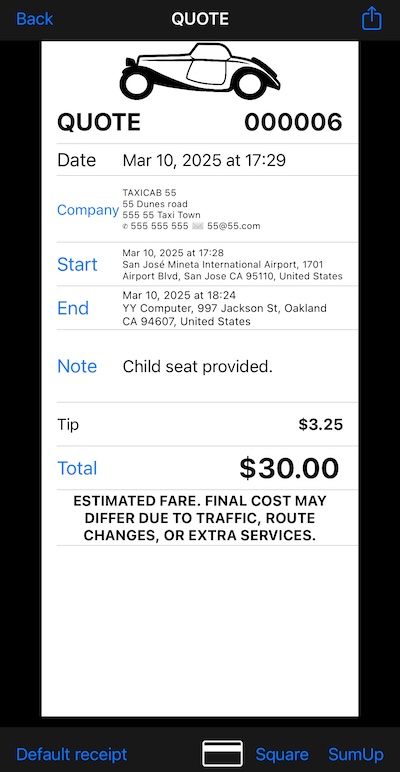
Other than that, the quote document is similar to a trip receipt, available in both simple and detailed variants. Here is a sample of the simple version:
Related
Feedback
Please don’t hesitate to share your feedback!
Special thanks to Modou (US) and Craig (UK) for sharing their suggestions, which laid the foundation for the quotes function.