Automatic mileage tracking for automotive activities.
Allows you to record automotive/driving activities automatically — no need to manually start and stop the track recording. No need to keep the app running. Configure once and let the app track the mileage for you, for tax deduction or reimbursement.
Automatic tracking of automotive activities is switched off by default.
Automatic tracking of automotive activities is an opt-in option that will not interfere with the current and default manual tracking capabilities.
It’s Automatic!
When enabled and configured, automatic tracking will start and stop track recording for automotive activities automatically. You configure the app once and let it track your mileage. No need to have the app on screen, or even running in the background.
It’s highly recommended to enable notifications for the start/end of a track, so you have an overview of when the app starts and ends the track and that it continues to track as expected. Please enable these notifications in the automatic tracking settings screen.
Usage and configuration pages.
Control and troubleshooting.
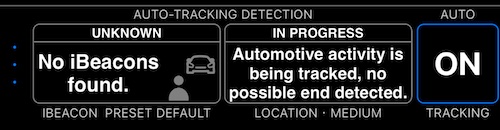
The dedicated tracking control and troubleshooting dash helps control both manual and automatic tracking, plus troubleshoot automatic tracking.
There are limits to the number of auto-tracks included in the one-time purchase price.
This new function is limited to 50 free auto-tracks per month. If you need more auto-tracks, please upgrade to the unlimited automatic tracking in the app.
The auto-tracking solution requires ongoing development and external testing, which involves significantly higher recurring costs. This is why I can’t provide its unlimited version on a one-time purchase basis. I would not be able to support, test, improve and update it forever for a one-time price, as I do it for all other app features.
If this new feature is of no interest to you, it should not get in your way. It’s totally optional and switched off by default.
What else? iBeacons! Not required, but a great option.
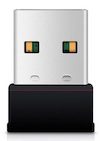
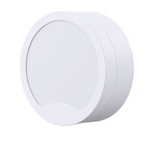
Automatic mileage recording is even better when combined with iBeacon-based automation. Put a tiny iBeacon device in your car > Enter the car, track recording starts > Leave the car, track recording stops. Precise and energy-effective!
You can buy a preconfigured and tested iBeacon from us, to pair with one tap:
Blocoware iBeacons shop
If you can’t find your country in the list of countries we ship to, please drop us a line at ibeacon@blocoware.com . Tell us what your country is and we will try to find some options for buying a compatible iBeacon in your country.
You can also use any compatible and configurable iBeacon you might have in your household. We don’t lock you into our iBeacons, and our iBeacons aren’t locked to us either. Please make a well-informed decision:
Get iBeacon from somewhere else and configure it
Download the full speedometer version
Related:
The dedicated tracking control and troubleshooting dash helps control both manual and automatic tracking, plus troubleshoot automatic tracking.
Pair with iBeacon for the most precise and energy-efficient automatic tracking.
Customizable PDF reports for your mileage/tracks.
Reconstruct a mileage log for taxes or reimbursement.
