Ghost race: can I beat my last ride?
Was I faster than last time? Pick a track you have recorded, go to its start and tap Start: the track’s ghost sets off with you, exactly as it was recorded. All the way you see whether you are ahead or behind, by how many seconds and how far, and at the end you get your time and the final gap. On foot, by bike, board or car.
Set up the screen for a race
The race runs in the small panel along the bottom of the screen, and the map above it shows the ghost and the climb. Three steps make the screen these pages show:
- The Ghost race panel. Tap the small panel’s
•••, choosePick what to show here, thenGhost race. - A bigger map. Tap the map’s enlarge button once (↕, on the map’s right edge): the map takes the place of the compass panel, and the Ghost race panel stays under it. The same button steps through the map’s sizes and back to the standard layout.
- The climb on the map. Touch and hold the map and choose
Show elevation profile. While the map follows you, the live climb runs along its foot.
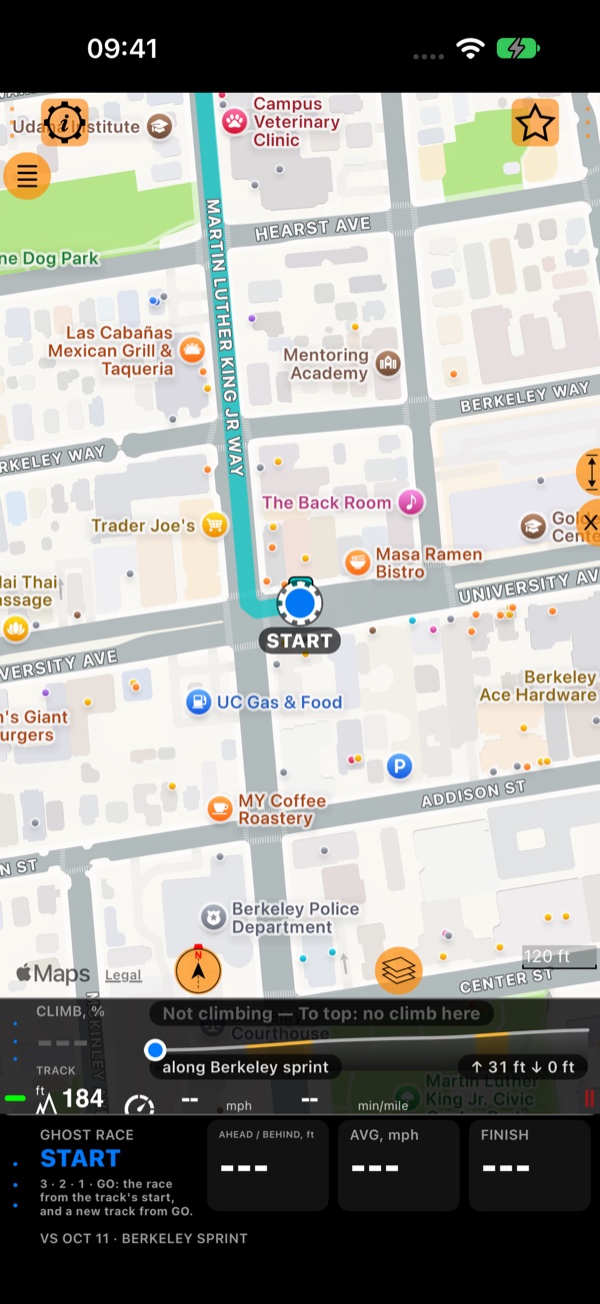
Pick the track to beat
Tap the panel’s ••• (or Pick a ghost in it) to open its menu, then Ghost: the track you raced last, the tracks
pinned on the map, or Choose a track… for any track you have recorded. The app offers to show the track on the map:
its line is drawn in cyan, and the ghost rides on it.
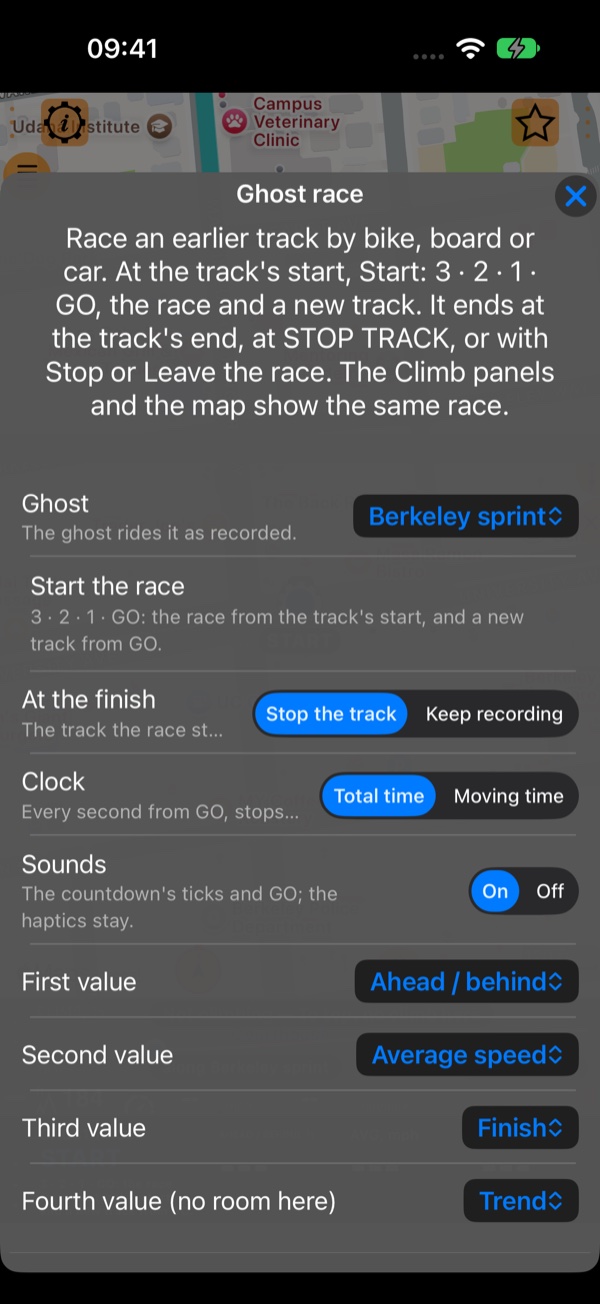
The same menu holds what the race shows and how it ends:
At the finish:Stop the track(the track that the race started stops at the finish) orKeep recording.Clock:Total time(every second from GO, stops too) orMoving time(stops are left out).Sounds: the countdown’s ticks and GO. The haptics stay either way.- The three values beside the gap:
Ahead / behind,Average speed,Finish,Trend,Ghost's speed here,Race timeorProgress.
Go to the start
A race starts at the start of the track you are racing, nowhere else. Away from it, the panel says TO THE START and how far it is, and the ghost waits there on the map. Close to the start, the panel shows how far the start line is ahead of you or behind you.
Start: 3 · 2 · 1 · GO
At the start the panel says START. Tap it: 3 · 2 · 1 · GO, with a haptic and a tick each second (tap again to cancel). At GO a new track starts recording, so every race has a track of its own. If a track was recording, it is finished first and the new one starts.
During the race
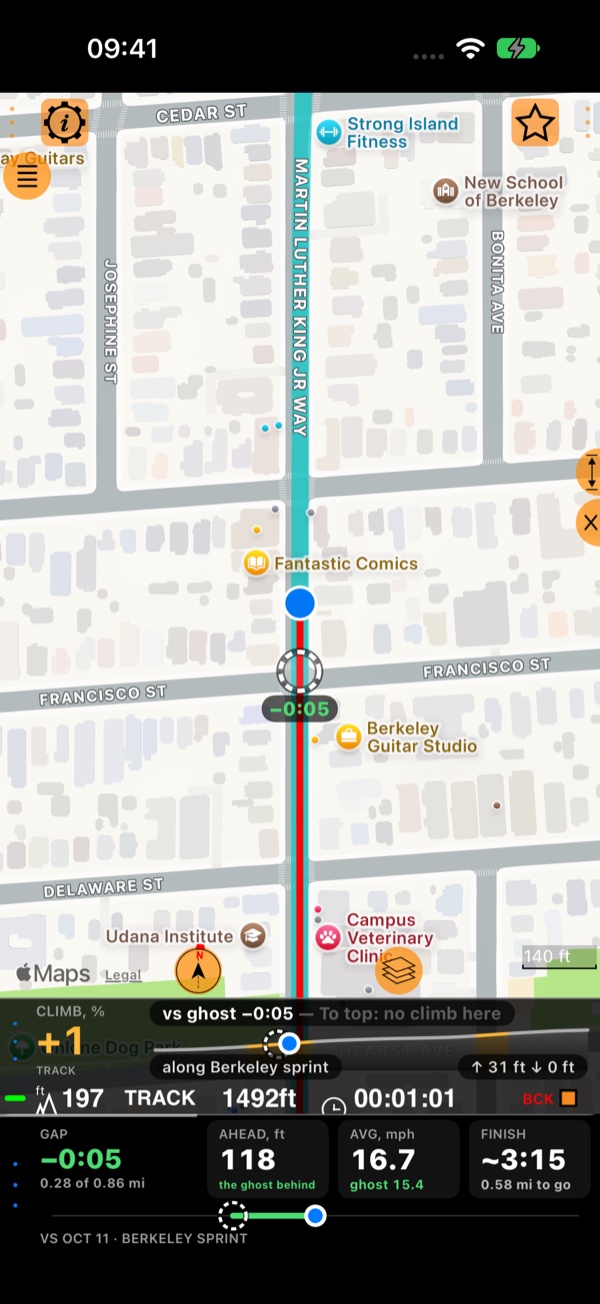
GAP is the time between you and the ghost at the place you are now: green with a minus when you are ahead, red with a plus when you are behind, white when level. Beside it: how far apart you are, your average speed and the ghost’s, and your expected finish. On the map, the ghost is the dashed ring with the same gap under it.
Off the track, the race goes on: the panel says “Off the track: the race goes on”, and it carries on when you are back. Gone the wrong way round a loop, the ghost does not go backwards: “Wrong way: the ghost rides the track as recorded”.
How it ends
The race ends by itself at the end of the track: the RESULT. With At the finish: Stop the track, the track
stops too. Otherwise only you end it; leaving the track or standing idle never ends it:
- STOP TRACK: the race stops with it (STOPPED, with how far you got and the gap).
- Stop the race (in the menu): ends the race and stops the track.
- Leave the race (in the menu): ends the race; the track keeps recording.
The result
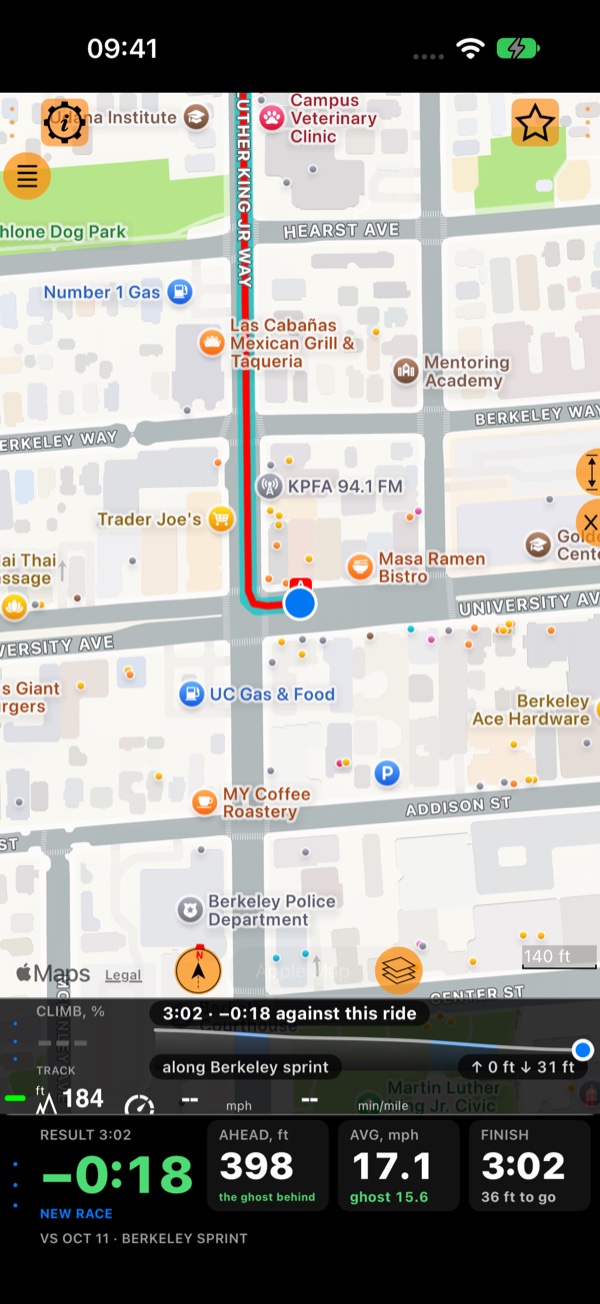
At the finish the panel shows RESULT with your time, and the final gap: −0:17 means you beat the ghost by 17 seconds. The values stay until you start the next race.
Analyze(in the panel’s menu) opens the race’s track: where you won or lost it .NEW RACE: ready for the next race (go to the start and tap Start).- With
Ghostset toOff, the panel keeps LAST RACE and its gap, andRace againraces the same ghost.
The race is kept with the new track: its gap, its ghost and its result, in the track’s stats and charts, and in its exports.