After the race: where did I win it?
I was a second faster — but where did I gain it, and where did I lose time? Every Ghost race is kept with the track it recorded: the gap to the ghost at every moment, the ghost’s place, and the result. Open the track to see the race again.
Analyze
Right after the race, open the Ghost race panel’s menu (•••) and choose Analyze. The race’s
track opens in the race view: the map and the chart, zoomed to the race, with the gap and your speed charted.
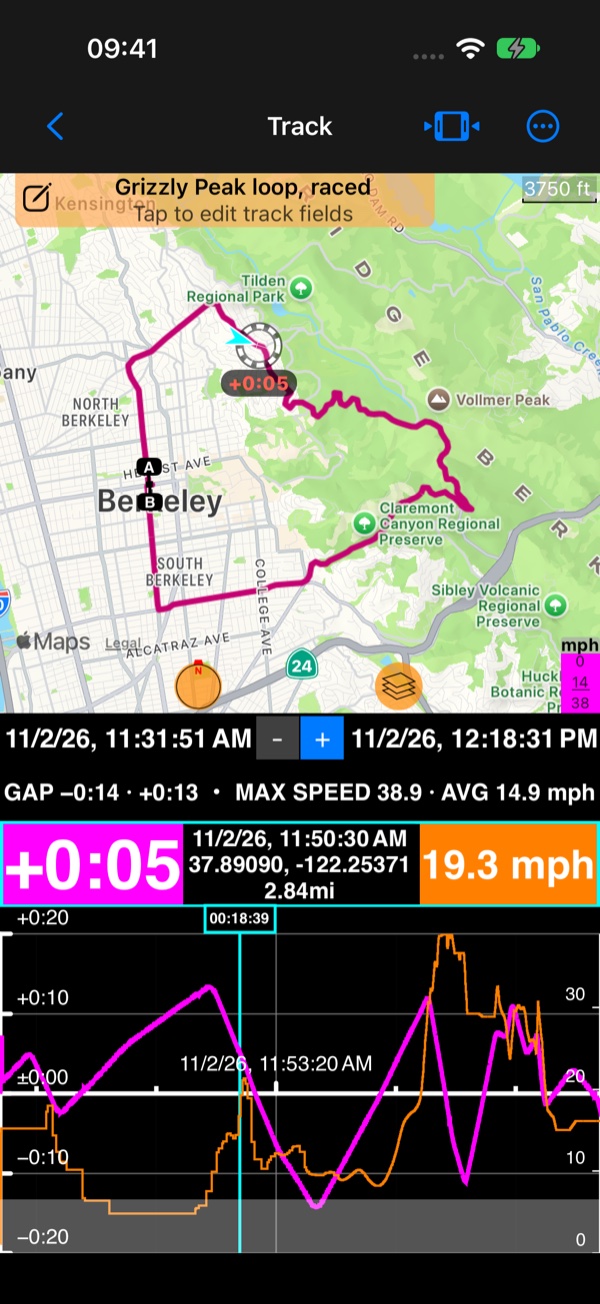
Drag along the chart: the readout shows the gap and your speed at that moment, and the ghost rides to its place on the map. Where the gap line goes down you were gaining on the ghost; where it goes up, the ghost was pulling away. The summary line shows your biggest lead and your biggest deficit.
On any raced track you get the same chart: open the track, then choose Gap to the ghost among the chart’s values.
See
Map, chart and stats
.
In the track’s stats
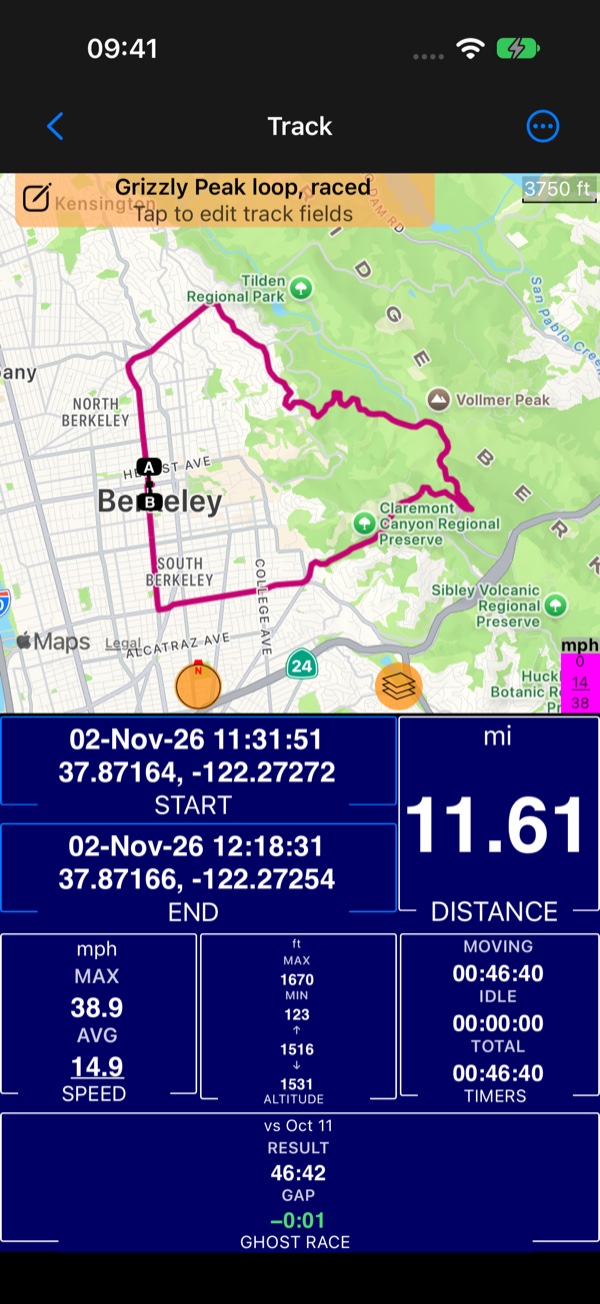
The Ghost race box in the track’s stats shows whom you raced (vs Oct 11), your time (RESULT) and the final GAP. A race that was stopped before the end shows how far it got. See Map and stats .
In the track list, a raced track has a checkered flag 🏁 in its row.
Keep it, share it, delete it
- The race travels with the track in KMZ and in the trip archive, exactly as recorded, and comes back with it on import.
- GPX and KML carry the gap at each point and the race’s result, readable by other tools; importing them into Compass brings the race back.
- To remove only the race from a track, open the track’s
Recorded datamenu and chooseDelete race data. The track itself stays.