Am I getting faster up this hill?
You ride the same hill every week. Am I getting faster? What is my best, and how far off was today? Compare a climb with every ride up it, and keep all your climbs in My climbs.
Compare with my rides
On a track’s
Climb by climb
panel, tap Compare with my rides ▸ under the climb.
The app reads your rides that pass this climb, with its progress (“Rides checked: 12 of 23”), and shows the climb’s
history:
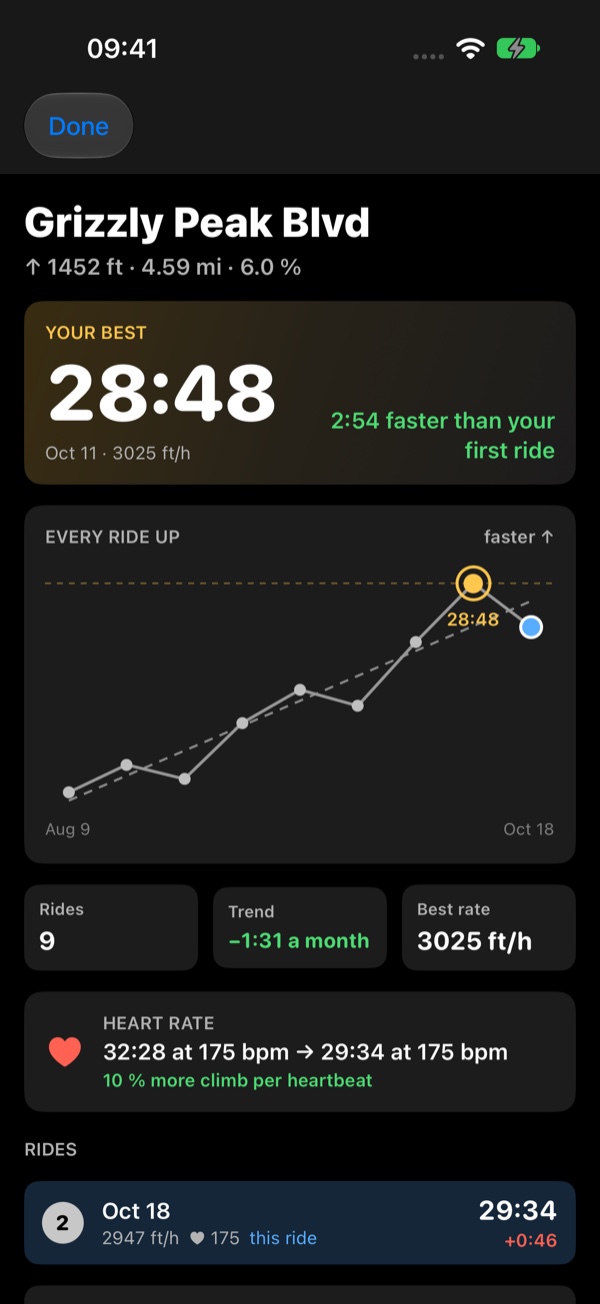
- Your best: the time and the ride, and how much faster it is than your first ride.
- Every ride up: each ride on a chart, faster higher: the best ringed in gold, the ride you opened in blue, the trend dashed.
- Rides, Trend (seconds a month), Best rate (the fastest climbing rate).
- Heart rate: the first ride against the latest, and how much more you climb per heartbeat.
- The rides, ranked, each with its time and its gap to the best.
Each ride is timed over exactly the same stretch of road: the climb as it was in the ride you compared it from, from its foot to its top. So a climb’s times stay comparable, but they can differ by a few seconds from what one ride’s own Climb by climb shows, where that ride’s climb started or ended a little elsewhere.
Rides you record later join at the next compare: tap Check my rides again. Nothing is read in the background; the
app reads your rides only when you ask.
My climbs
Open the
Climb panel
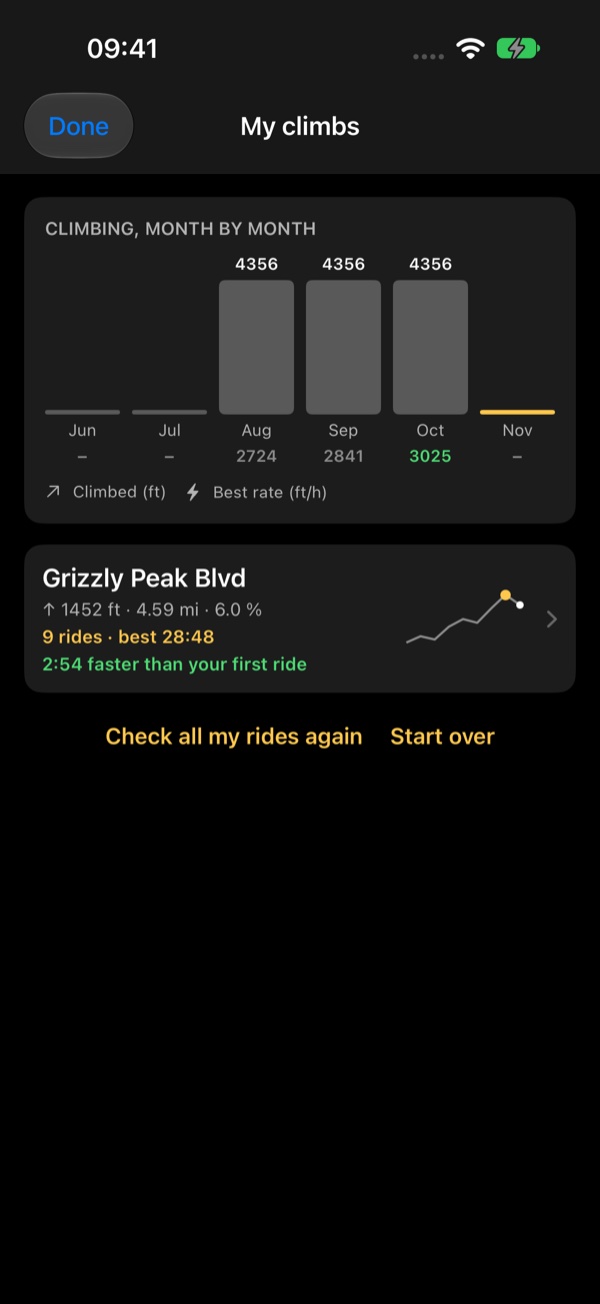
’s menu and choose My climbs: your compared climbs, under the height you climbed
on them month by month. Tap a climb for its history.
The first time, My climbs is empty: tap Find climbs in all my rides and the app finds the climbs in every ride you have
recorded. Check all my rides again brings in new rides; Start over forgets the climbs and finds them afresh.
With a track picked in the Climb menu’s Climb along, Find my best on this course's climbs compares each climb on that
track in one go.