Version 5.4 - What's new?
Version 5.4 fixes photo quality for new captures and adds size choices when you share photos already saved in the app.
Fixed photo quality
In version 5.3, Medium and Low could save the same large photo as High on some iPhones. Fixed in 5.4: new photos now follow the selected quality. Photo capture settings explains the choices.
Photos saved in version 5.3 keep their original size. The export choices below let you send smaller copies of them.
Send a smaller copy of a saved photo
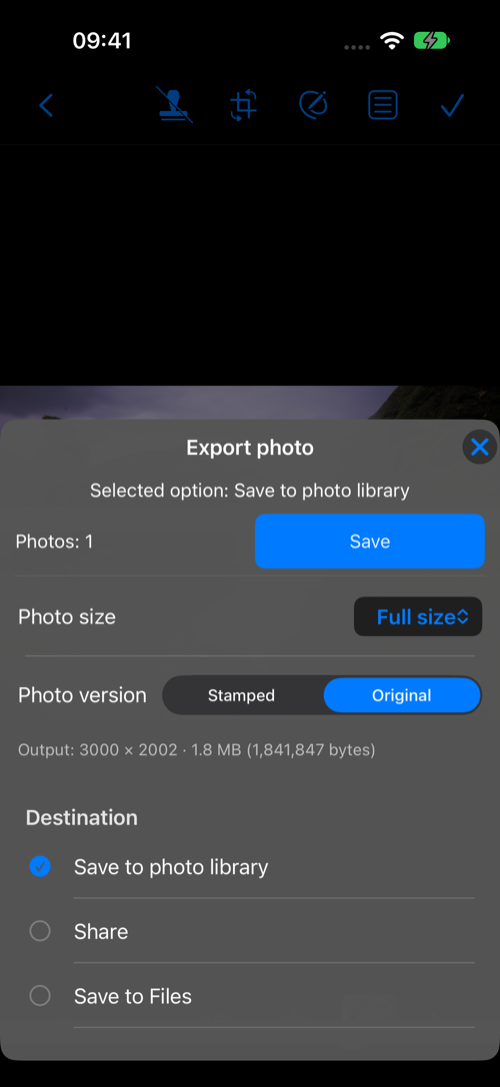
Open a saved photo and choose Export photo. Pick Stamped or Original, then Save to photo library, Share, or Save to Files. Choose Full size, a longest-side limit from 2560 down to 640 pixels, or Fit within file size… for a per-photo KB limit. The app keeps the photo’s proportions; the copy you export can be smaller while the saved photo stays intact.
Share selected points or collections
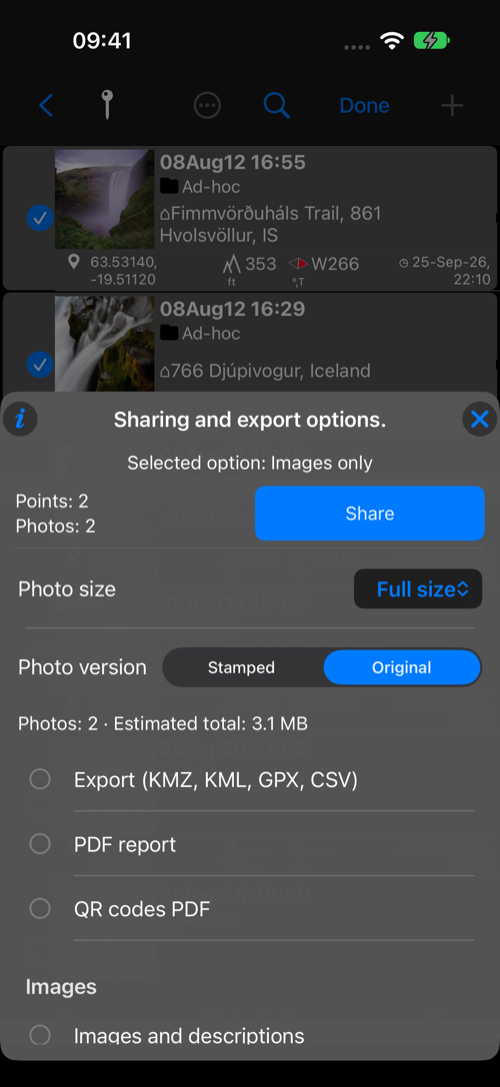
The same size choices are available when sharing selected points or one or more collections. In Photos / Points, tap Select, choose the points, then tap the share button. The menu shows the number of points and photos and estimates the selected photos’ total at the current size. That helps when a recipient has a practical size limit. Pick your option, then Share or Continue. The menu remembers your last confirmed sharing choice.
For a normal KMZ, photo attachments use the selected size. KMZ with editable drawings keeps the full-size originals and drawing data for editing after import, and shows its own full-size photo estimate. PDF reports use their separate page-layout and DPI settings. See the sharing and export guide.
Also new in 5.3
The previous release arrived shortly before this one. It added focus lock and manual focus, direct lens selection, the shutter timer, viewfinder gestures, a video light, video transcripts and captions, a more capable point editor, and video overlays for your editor. See everything in version 5.3.